
ONE – Database. EIGHT – Modules. ZERO – Manual Data Assembly.
Every module: CBS, registers, forecasting, reporting, operates on the same WBS, the same period structure, and the same underlying database. A single progress update cycle keeps all outputs consistent.
Planning and Schedule Integration
EPCplanner integrates with the master schedule through schedule import and controlled progress synchronisation, maintaining alignment between schedule management and physical progress measurement. The master schedule remains in the scheduling platform. EPCplanner carries Level 4/5 operational detail linked back to Level 3 schedule activities.
Two-way synchronisation reads the current schedule structure and writes actual progress, dates and remaining duration back, keeping the master schedule current without manual re-entry.
- XER file import, compatible with all scheduling platforms that produce a standard XER export
- Direct Oracle EPPM database connection for live sync
- SQL Server database connection for enterprise scheduling deployments
- SQLite standalone connection for simpler environments
- WBS hierarchy, activity IDs, calendars and relationships imported in full
- Progress push writes actual dates, physical percent complete and remaining duration back
- EPS tree navigation when connecting to a live scheduling database
Commercial Progress (CBS)
The Cost Breakdown Structure (CBS) is the commercial backbone. Lump-sum price schedules or bills of quantities are imported and mapped to WBS nodes and activities, creating explicit Weight Factor distributions that enable objective progress measurement from actual deliverable completion.
CBS, Activity Weight Factors, and Cost/Invoice Weight Factors are linked, so a single progress update drives both technical reporting and commercial entitlement. Progress invoices and payment certificates are generated directly from CBS progress.
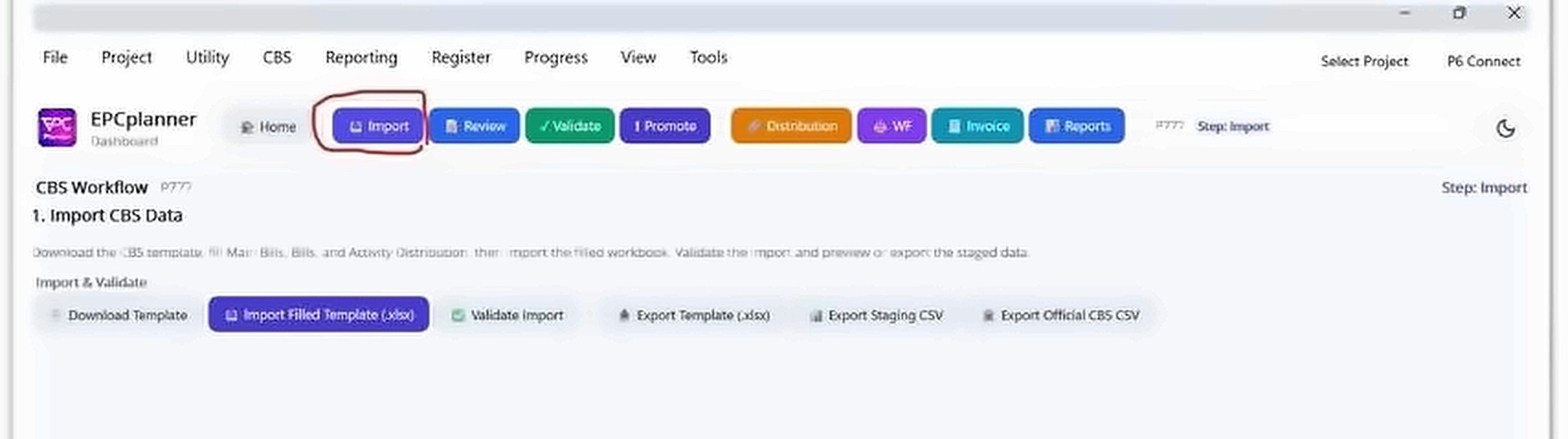
- CBS import, review, validation and promotion workflow
- CBS Distribution: map CBS items to WBS nodes and activities
- Weight Factor generation from CBS distribution: Activity WF and Cost/Invoice WF
- WF Alignment verification before proceeding to registers
- Period-locked CBS earned value snapshots
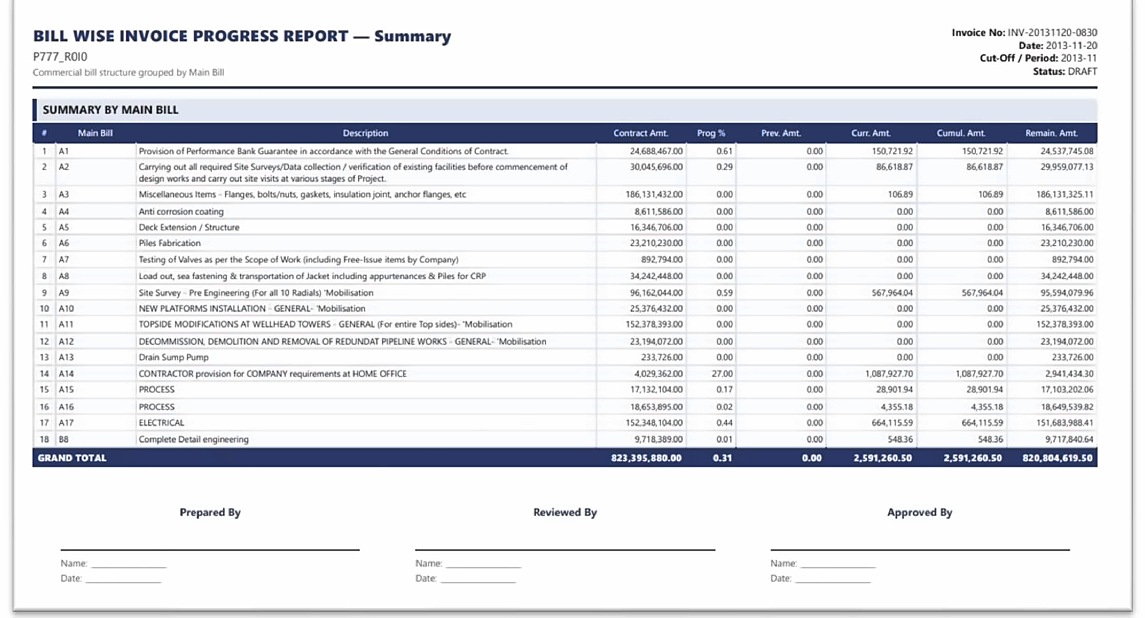
- Progress invoice and payment certificate generation (Bill Wise)
- CBS reports in HTML, Excel and PDF
Engineering Register (ENG)
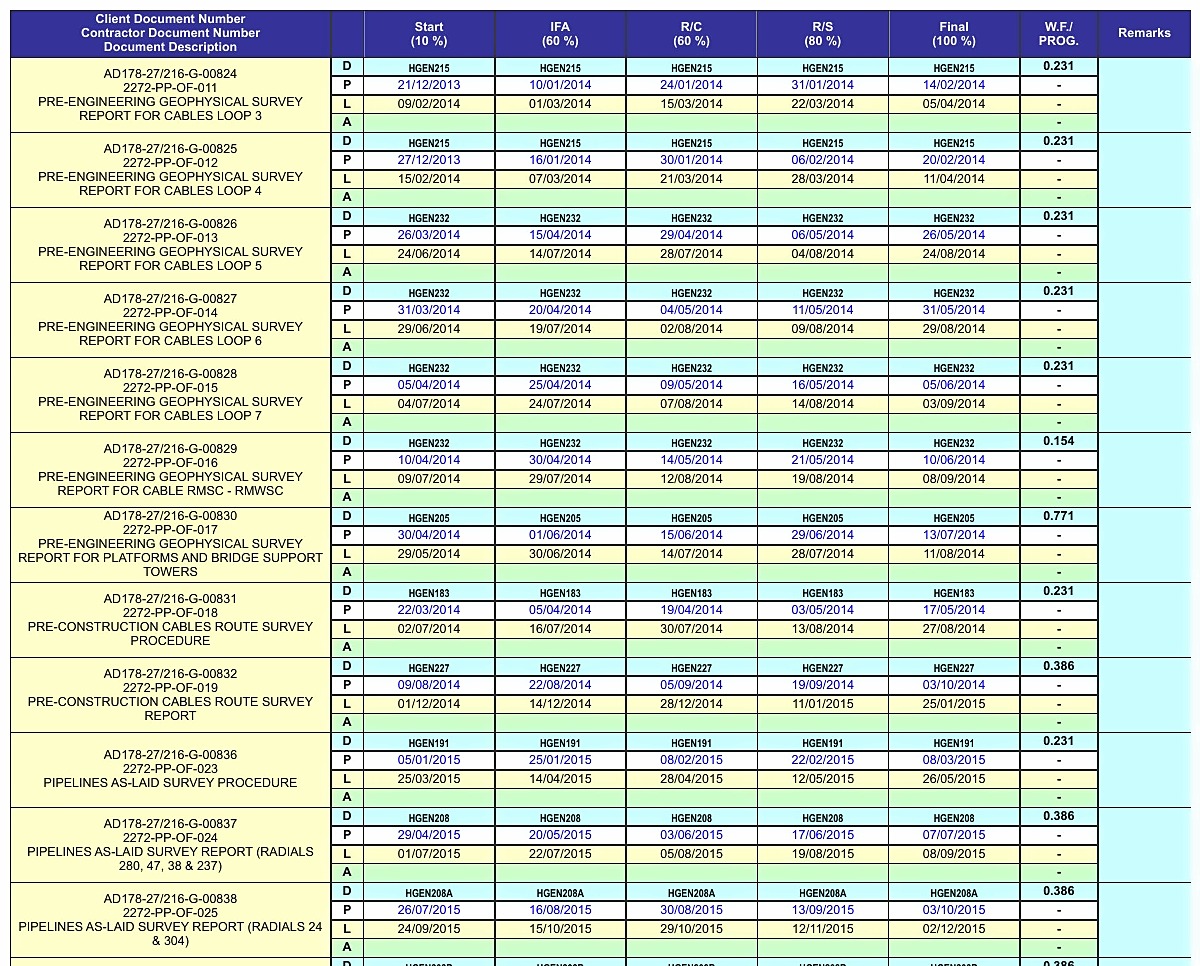
The Engineering Register tracks document deliverables, drawings, datasheets and specifications, through a configurable multi-stage review and approval workflow. Each document follows a stage template defining its lifecycle from first issue through to Approved for Construction. Stage gates enforce process discipline; interdisciplinary check (IDC) logic prevents advancement past defined gates until required reviews are complete.
Stage completions are the source of physical progress for Engineering activities. Register Rollup calculates weighted completion from actual stage actuals and feeds the result directly to linked schedule activities.
- Excel import with field mapping and upsert (update-or-insert) mode
- Configurable stage templates with variable stage counts per document type
- Task code linkage: each register item linked to a schedule activity
- Date generation from linked activity dates and stage WF distribution
- Quality check: confirms every item has a valid template and required setup fields
- Validation: compares register dates against schedule activity dates, reports day-delta gaps
- Actual and forecast date entry with Freeze Guard protection on closed periods
- Full register reports, Stage Matrix export, Weekly/Monthly Summary, Lookahead and Behind Schedule outputs
Procurement and Subcontract Registers
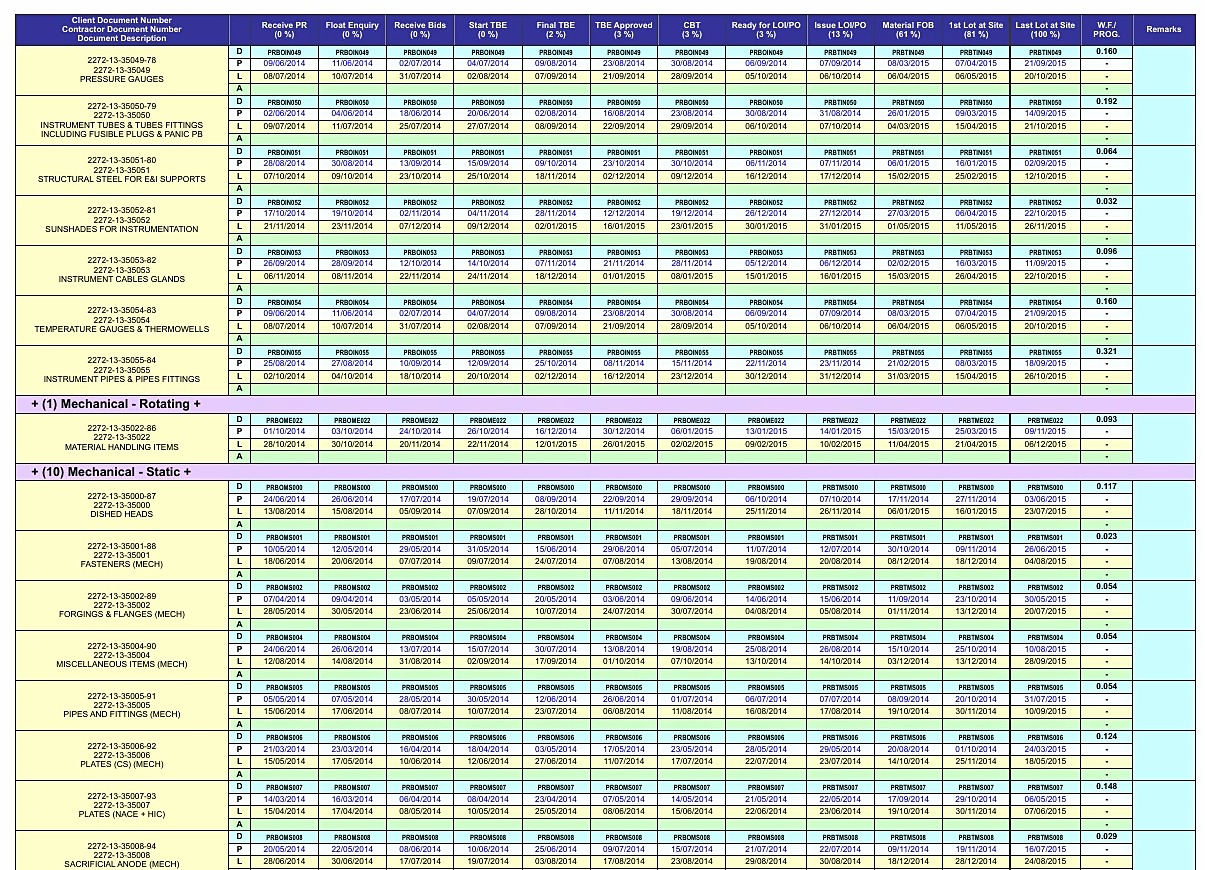
The Procurement Register (PROC) and Subcontract Register (SUBC) follow the same configurable stage template framework as the Engineering Register. Each register type has a unique set of stage milestones appropriate to its lifecycle: from purchase requisition through to delivery for PROC, and from package award through to completion for SUBC.
All three register types are linked to the same WBS and schedule activities, so a single Register Rollup step calculates weighted progress across Engineering, Procurement and Subcontracts simultaneously. Third-party register validation is also supported: import an external register, anchor by business key, assign templates, link task codes and run Validation to generate an acceptance QA exceptions pack.
- PROC: purchase request tracking from requisition through to delivery
- SUBC: subcontractor deliverable and work package tracking
- Stage templates configurable per register type and package
- Task code linkage to schedule activities shared with ENG registers
- Upsert import prevents duplicates on repeat imports
- Third-party register validation for subcontractor-supplied registers
- Register Rollup covers all three register types in a single pass
- Lookahead, Behind Schedule and Summary reports available for all register types
Forecasting and Lookahead
Forecasting in EPCplanner is generated directly from the live register and activity data; there is no separate forecast spreadsheet to maintain. Actual dates and forecast dates are entered against each register stage gate. The system uses these to generate Lookahead and Behind Schedule analysis within the same reporting cycle that produces S-curves and tabular progress.
At the close of each reporting cycle, trend analysis from forecasting output may indicate that the current approved plan is no longer achievable. Where this is formally recognised, a Management of Change process is initiated, resulting in a Revision, Recovery Plan or Rebaseline through Plan Versioning.
- Forecast date entry against each register stage gate
- Lookahead Schedule: upcoming stage gates and activities within a configurable forward window
- Behind Schedule Report: items where actual or forecast dates have slipped past planned or late dates
- Day-delta values quantify delay severity for prioritisation and corrective action
- Feedback forms: distribute Excel forms to field teams, collect actuals, import back with no manual re-entry
- Trend analysis across closed periods to identify slippage patterns
- Management of Change (MOC) triggered when forecast indicates plan deviation
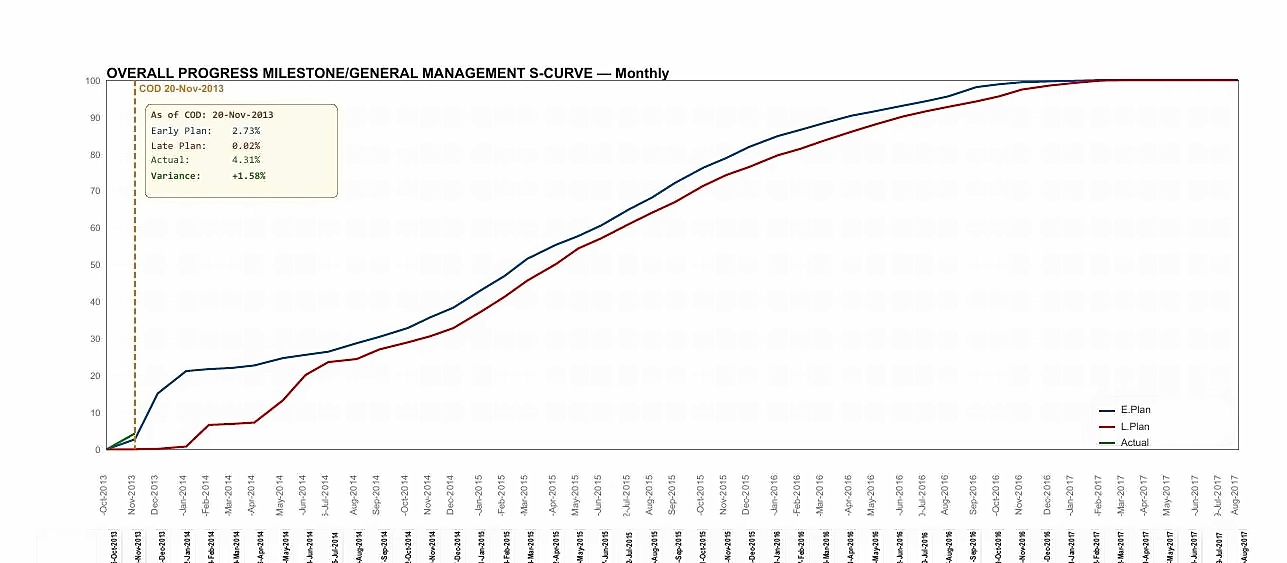
Every reporting cycle contributes one validated data point to the curve. Early plan, late plan and actual are drawn from the same dataset that produces tabular progress.
S-curves support Plan Version overlay; compare Baseline vs Recovery Plan on the same chart.
Governance Framework
Project progress data feeds monthly invoicing, supports claims and variation negotiations, and is reviewed by Clients and PMC organisations who were not present when the data was entered. When a dispute arises about progress reported six months earlier, EPCplanner is built to answer directly from the database, without reconstruction from file versions or email threads.
Three capabilities, Historical Snapshots, Freeze Guard and the Audit Log, work together as a single governance system. They are not optional configuration choices. They are built into every project.
- Historical Snapshots: every closed Cut-Off Date preserved automatically: register actuals, activity progress, S-curve data points and CBS earned values
- Freeze Guard: once a Cut-Off Date is closed, no user, including Administrators, can modify closed-period data through normal data-entry screens
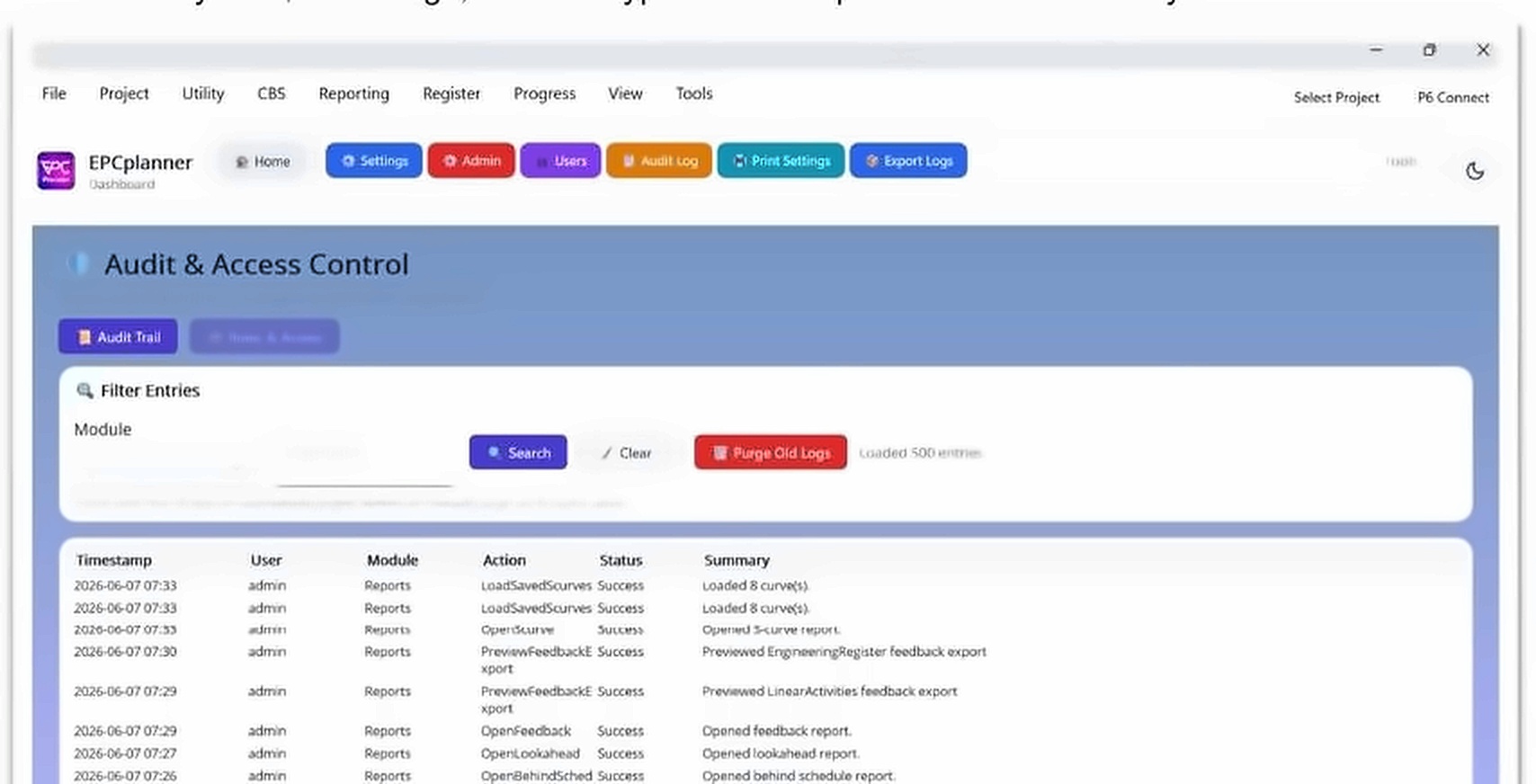
- Immutable Audit Log: records every import, validation, rollup, update and report generation with user identity and timestamp
- 11-role RBAC: role-restricted actions recorded against the authorising user, supporting separation-of-duties requirements common in EPC contracts
- Plan Versioning approval lifecycle: Draft, Pending Approval, Approved, Active, Superseded
- Plan Event Log: immutable timestamped record of every plan version lifecycle event
Historical Snapshots
Every Cut-Off Date closed becomes a locked, unalterable record of what was reported. Available for trend analysis, audit and claims support at any future date.
Freeze Guard
The S-curve, register status and CBS earned value reported for any closed period will read identically in EPCplanner six months later as they did on the day the period was issued.
Immutable Audit Log
Every reported figure can be traced back to the action that created it. Log entries cannot be edited or deleted by any user including Admin. Exportable to Excel for formal submission.
Reporting Module
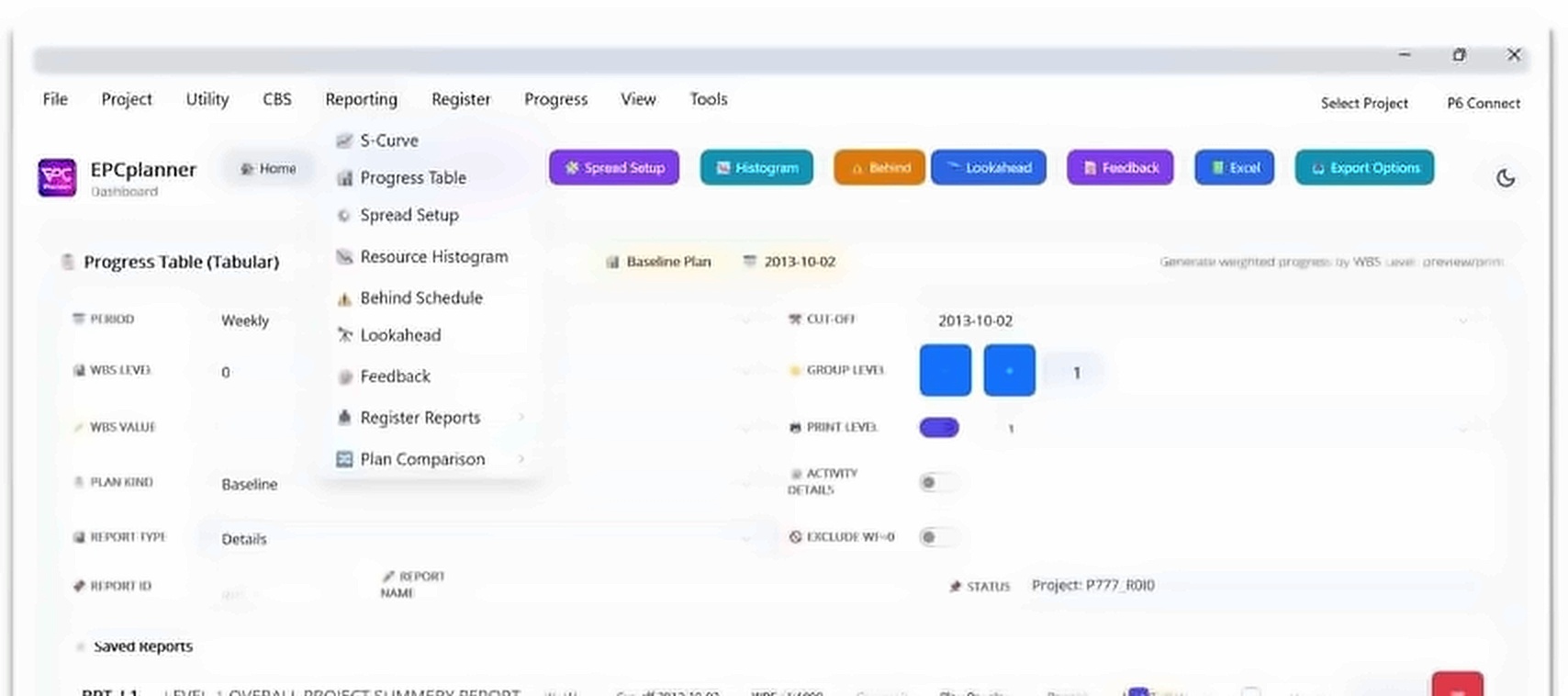
EPCplanner provides a comprehensive reporting suite covering S-curves, tabular progress, resource histograms, behind-schedule analysis, lookahead schedules and feedback forms. All reports draw from the same validated dataset, the same figures that drive CBS invoicing and schedule synchronisation. Reports are available in HTML, Excel and print-optimised PDF formats.
The Reporting and Measurement Framework is configured during Project Setup and becomes part of the approved project baseline. All reporting outputs during the operational phase are generated from this approved framework, ensuring consistency between reporting periods.
- S-curves: cumulative planned vs actual, with Plan Version overlay (Baseline vs Recovery Plan)
- Tabular Progress Report: period-by-period planned and actual with multi-level WBS grouping
- Resource Histogram: planned vs actual resource loading by period
- Behind Schedule Report: items sorted by delay severity with day-delta values
- Lookahead Schedule: upcoming stage gates and activities within a configurable forward window
- Feedback Forms: distribute to field teams and reimport, no manual re-entry
- Register Reports: full register pack, Stage Matrix, Weekly/Monthly Summary, Lookahead and Behind Schedule
- CBS Reports and Bill Wise Invoice Progress Report (Summary and Detail)
- Shared print settings control page orientation, scale and paper size for all HTML and PDF outputs
11-role access control. Project-level configuration.
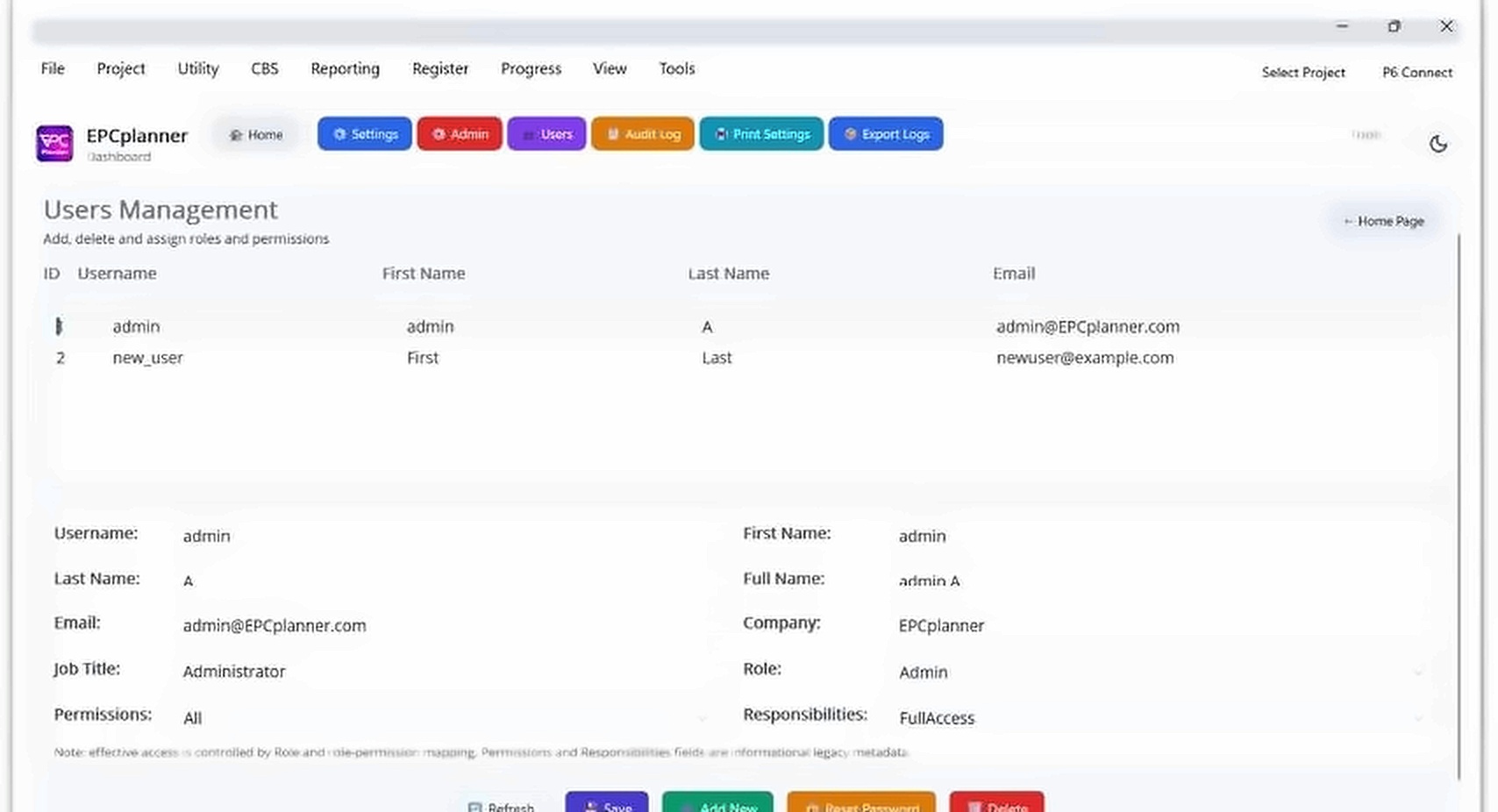
Every EPCplanner project is governed by an 11-role RBAC model. Role is the primary access control point; assign the minimum role required for the user's responsibilities.
| Role | Primary Access Scope |
|---|---|
| Admin | Full system access: users, settings, mode switch, all data |
| Project Controls Manager | Approve, promote, close periods, full reporting access |
| Project Controls Engineer | Full planning + CBS read + report generation |
| Planner | Register and stage editing, progress entry rights |
| Commercial User | CBS import, validate, promote, invoicing, WF management |
| Document Controller | Transmittal, distribution management, submittal tracking |
| Construction Manager | Site diary, resource management, field progress approval |
| Subcontract Coordinator | Package management, subcontractor progress, payment |
| QA/QC Engineer | Inspection records, punch items, NCR tracking |
| Client | Read-only access to reports and dashboards |
| Viewer | Read-only access to views and reports |
Request a module walkthrough
We can walk through any module using your own project data structure. Contact us to arrange a demonstration.